The best app for a tattoo artist depends on what is slowing you down. Drawing a design, preparing a stencil, preparing portfolio photos, collecting requests, booking clients, taking deposits, running a studio, and presenting your work publicly are different jobs. One app rarely does all of them well.
There is no single best app, and no ranking that survives contact with a real studio. The useful goal is to build the smallest set of tools that removes repeated admin or production work without adding more handoffs. For some artists the honest answer is that they already have enough software.
Disclosure: StencilStudio publishes this guide and is one of the products discussed. We checked the product capabilities below against current official product pages on September 15, 2026. StencilStudio is not presented as a universal winner, and this is not a hands-on benchmark of every app on the market.
Start with the job, not the app
Most "best apps" articles compare unrelated products as if one should beat the others. A drawing app and a booking system are not competing for the same job, so a feature-count ranking tells you very little about your own studio.
A more useful sequence:
- name the repeated problem;
- identify which workflow job it belongs to;
- check whether something you already use solves it;
- add or replace one app only when it removes a real repeated cost or failure;
- test one real project through the handoffs before moving the whole studio.
The selector at the top of this page maps each job to the category of software that fits it, what that software should replace, and what it should not be expected to do. Use it to decide whether you need a new app at all. If you are searching for an app for a tattoo artist's specific bottleneck, find that bottleneck first, then match it to a category.
The same principle applies whether you work alone or run a shop: the tool should fit the job, not the other way around.
Draw and edit artwork by hand
Procreate is a strong option for tattoo artists who draw or rebuild artwork manually on iPad. Its current product documentation includes hundreds of brushes plus Layers, Selections, Transform, Warp, Drawing Assist, and other illustration tools.
Reach for a drawing app when:
- you draw tattoo concepts from scratch;
- line placement needs direct hand control;
- layers and masks are part of your design process;
- you already work comfortably on iPad.
Choose the drawing tool by fit, not by feature count. Four practical questions separate good options for tattoo work. First, device: Procreate is iPad-only, so artists who sketch on Android, Windows, or across devices need a different editor even if the brush engine is excellent. Second, construction type: freehand illustration rewards pressure-sensitive brushes and layer revision, while lettering, geometric work, and scalable flash reward vector-style precision where lines stay clean when resized. Third, revision style: if you redraw with the client beside you, favor an app you can edit quickly without hunting through menus. Fourth, cost and learning curve: a one-time purchase with abundant tutorials suits many solo artists, while a subscription vector editor only earns its place when scaling and type work are weekly jobs.
A useful rule is: keep one primary drawing environment and add a second only when it removes a named limitation. Add vector-style precision when small lettering keeps breaking down or flash needs clean resizing. Stay with your current editor when the bottleneck is intake, scheduling, reference conversion, or photo preparation, because a better brush set will not fix those jobs. If the specific question is how drawing connects to stencil output, the Procreate to Tattoo Stencil workflow shows that handoff without repeating it here.
A drawing app is an illustration environment, not a booking or studio-management system. Look elsewhere when the problem is client intake, scheduling, payments, studio administration, or repetitive reference-to-stencil conversion. A drawing app can be excellent without needing to manage every later step of the workflow.
Turn a reference into stencil guidance
StencilStudio starts after you already have a photo, sketch, or piece of artwork you want to use as the reference. It is designed for moving from a chosen reference to stencil preparation: generate a draft, choose the detail level, review the result, mirror it, check Fit to Body, upscale when needed, and prepare output for size and print workflows.
Consider it when:
- you already have a reference;
- manual tracing is taking repetitive time;
- you want to compare Simple, Standard, and Detailed stencil outputs;
- you want to preview a design on a body photo;
- mirror, size, export, and print preparation belong to the same job.
It is not a substitute for manual illustration when the artwork still needs to be designed, and it does not handle booking, payments, studio client records, legal or medical forms, or the artist's final decision about readability, placement, transfer, and execution.
The boundary is practical. Stay in the drawing app when the design does not exist yet, when line quality depends on your hand, or when you are rebuilding anatomy, letterforms, or composition from rough ideas. Move to stencil preparation when the reference is already chosen and the repeated cost is conversion: tracing the same contours, simplifying tone into readable stencil lines, comparing detail levels, checking body fit, mirroring, sizing, and preparing a print-ready file. One sign the job has shifted is that you are redrawing the same reference for the third time to make it stencil-readable rather than to improve the design itself.
If stencil software selection is the real question, the dedicated Tattoo Stencil App comparison goes deeper into conversion, editing control, source fidelity, body fit, exact-size print, export, platform, and cost. This guide only helps you decide whether that category belongs in your stack.
When the stencil is approved and you need to set its physical size, use the Tattoo Stencil Size & Print Calculator. When you need to move a prepared stencil from your phone to paper at the intended size, the Print a Tattoo Stencil From iPhone guide covers that operating path. Neither is a separate app decision; they are the next steps after the design is settled.
Prepare finished-work photos
Adobe Lightroom on mobile supports photo capture, organization, and sharing, with editing tools for light, color, crop, and additional premium features including masking, geometry, raw editing, and batch editing.
For tattoo work, the important distinction is between preparing the photograph and changing the tattoo inside the photograph:
- crop and straighten;
- correct exposure;
- correct white balance;
- keep exports consistent across a portfolio;
- organize finished-work photos;
- make restrained adjustments that do not redraw or materially alter the tattoo.
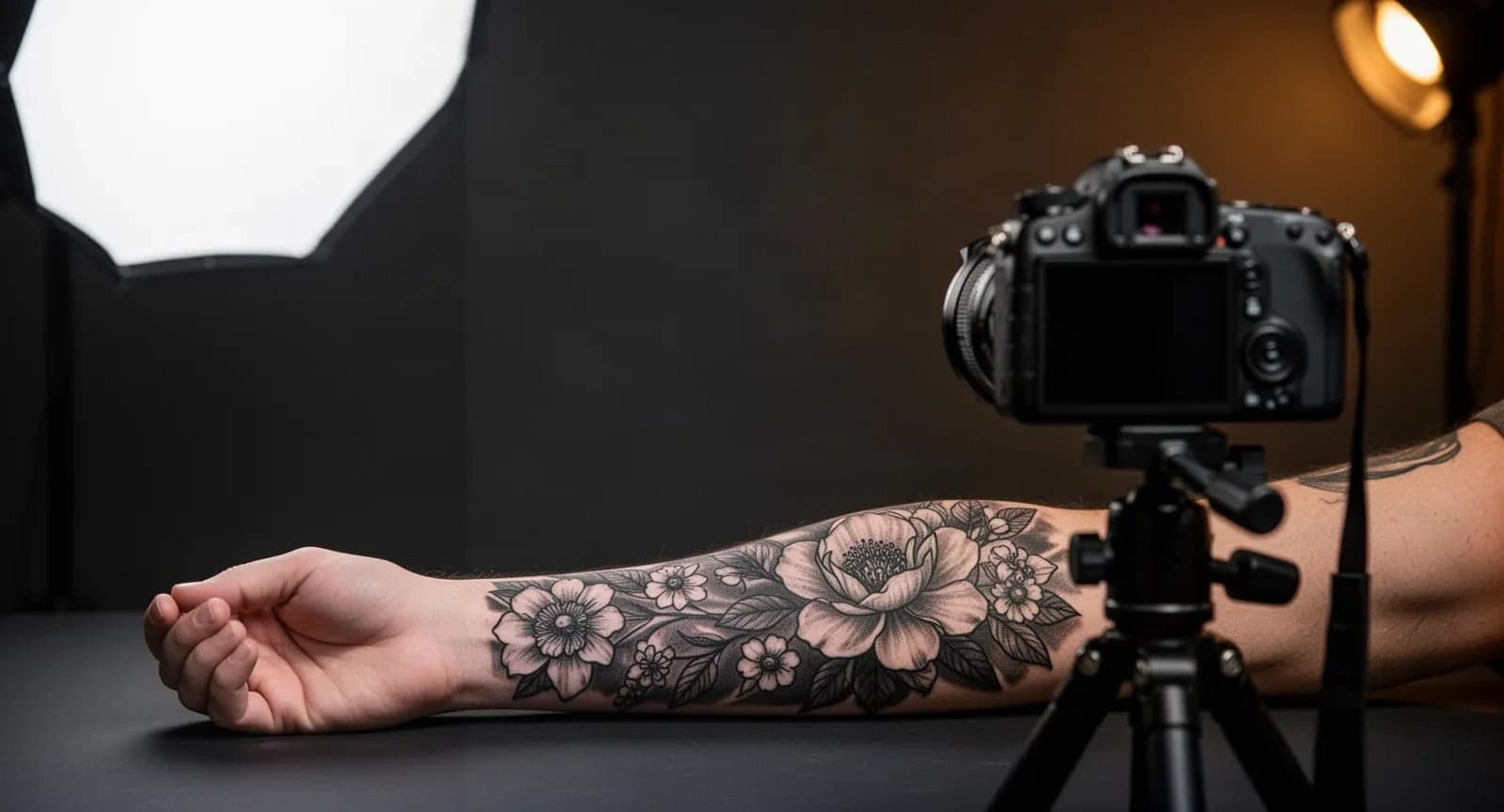
Keep the original file. If the photo has glare, bad focus, or distortion, the Tattoo Photography guide explains what is better fixed before editing. For a browser-local preparation step that stays faithful to the finished work, the Tattoo Portfolio Photo Editor handles crop, straighten, and global tone correction with an original comparison.
Photo preparation is one job. Capture quality is another. If the photo itself is the problem, no editing app will reconstruct information the camera never recorded.
Collect complete requests before you quote
Jotform Appointments combines customizable forms with scheduling, calendar synchronization, reminders, payments, and follow-up workflows.
That can be useful when the problem is simple:
Every new tattoo request arrives in a different format, and I keep asking for the same missing information.
A structured request can collect the idea, placement, approximate size, reference images, and contact details before you decide what happens next. Consider it when you need custom intake fields, reference uploads, a form connected to your existing calendar process, and you do not need a full tattoo-studio management system.
If the specific job is turning a client's idea and references into a clean creative brief before quoting, use the Tattoo Consultation Form & Creative Brief Builder. It is creative intake, not scheduling, consent, medical intake, CRM, or automated pricing.
Fix intake before buying another drawing app. If requests arrive incomplete, a better brush set will not help.
Book clients, take deposits, and run the studio
Booking, deposits, reminders, and studio operations are a separate category from creative work. Treat them as one end-to-end flow: a request arrives, you decide whether it fits, a deposit locks the time, forms and reminders reduce no-shows, the day runs in calendar order, payment closes the project, and the client record keeps history for touch-ups and rebooking. Judge any studio app by how cleanly information moves through those steps, not by how many features its pricing page lists.
Three common directions cover different parts of that flow:
Booksy Biz. Booksy Biz currently combines scheduling, payments, client marketing, and a marketplace where local clients can discover businesses, plus direct booking from channels such as Google, Instagram, and Facebook. It serves a broad beauty and service market, so test whether its booking model fits custom requests, long sessions, deposits, and multi-session projects before moving your calendar.
Linework. Linework is built specifically for tattoo businesses. Its current product pages cover appointments, online booking, payments, studio and artist scheduling, rent settlement, and financial reporting. It fits best when you need the business layer as well as a calendar.
Tattoo Studio Pro. Tattoo Studio Pro currently combines booking requests, appointments, digital forms, deposits and payments, client profiles, reports, portfolios, and team features across web and major mobile and desktop platforms. It is worth evaluating when you want more of the studio's client and admin workflow in one system.
Solo and studio needs diverge at three points. First, calendar complexity: a solo artist needs one reliable calendar with buffers for long sessions and rescheduling, while a multi-artist shop needs a shared view, per-artist schedules, walk-in handling, and guest coverage. Second, money handling: a solo artist needs deposits at booking plus a simple checkout, while a studio needs clear commission or booth-rent accounting, tips, and end-of-day reconciliation by artist. Third, client records: a solo artist can keep brief histories and reference photos with each appointment, while a studio needs shared profiles, signed consent and health forms, aftercare delivery, and searchable history that survives staff changes.
Use that split to decide. Keep a simple calendar, deposit method, and intake form when those three already work; do not migrate to a full suite for a nicer interface. Consider a booking platform when self-booking, reminders, or discovery are the repeated gap. Consider a tattoo-specific management layer when deposits, forms, shared calendars, rent or commission math, and multi-artist reporting consume weekly admin time. If only intake is broken, fix intake first with a structured request step and leave booking alone. If only deposits are broken, fix deposits before replacing the calendar.
Publish your work and get found
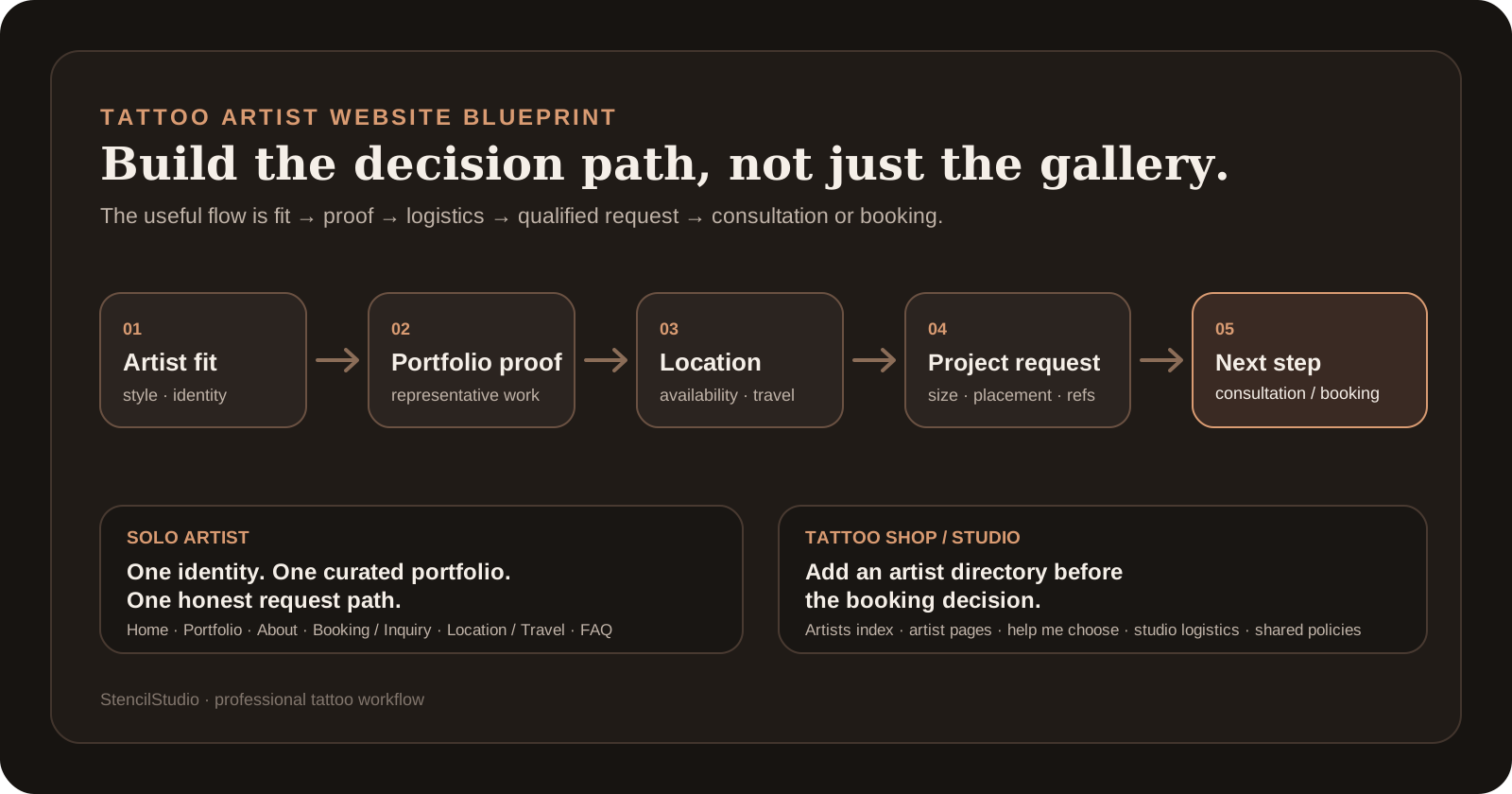
A website or portfolio layer is part of the professional stack, but it answers a different question than booking software: how a qualified visitor understands your style, sees representative work, and knows how to start a project. The Tattoo Artist Website guide covers that public structure. Treat it as one more job that may or may not need attention right now.
Realistic stacks for common situations
These are starting points, not bundles you have to copy.
Solo artist whose booking already works
Procreate, a stencil tool if needed, a photo step, and your current calendar and payment method. Planning decision: keep the calendar, add nothing.
There is no reason to replace a booking process that is already working simply because another app exists. The useful question is whether the creative and preparation steps are the bottleneck, not whether your software looks modern. Explicitly do not add a booking platform, a studio suite, or a second intake tool here; each would duplicate a working step and add migration risk without removing admin time. Revisit the planning layer only when deposits, reminders, rescheduling, or records start failing on real projects.
Solo artist overwhelmed by incomplete requests
A request form, your calendar and deposit method, then your drawing, stencil, and photo tools. Planning decision: add structured intake first, add booking self-service only if scheduling stays broken.
A structured intake form is often the highest-value addition here, because it removes repeated back-and-forth. If self-booking, deposits, and discovery also need work, a booking platform becomes more relevant. If only the form is the problem, do not migrate the whole studio to solve it. The test is simple: after two weeks, requests should arrive with idea, placement, size, and references attached. If they do, stop adding tools. If booking and reminders still consume evenings, that is the next job to fix, not another creative app.
Artist whose bottleneck is drawing or stencil production
A drawing environment, a reference-to-stencil tool, and an exact-size print step. Planning decision: keep the current booking setup unless admin is also failing.
This stack earns its place when the repeated cost is creative production rather than admin. Test conversion quality and cleanup time on your own references before paying, and keep the artist's review of anatomy, identity, and placement in the loop. Do not bundle a studio suite into this fix: drawing and stencil output should flow into sizing and print checks first, and only then into the existing calendar. Add booking or studio software later only when intake-to-payment handoffs, not artwork, become the bottleneck.
Artist focused on portfolio consistency
A capture routine and a restrained photo-preparation step.
Consistency usually improves more from a repeatable capture setup than from stronger editing. Fix lighting, glare, and framing first; then use a light, honest edit pass.
Multi-artist studio
A tattoo-specific management system, plus shared drawing, stencil, and photo workflows. Planning decision: centralize booking, forms, money, and records; keep creative tools separate.
Linework and Tattoo Studio Pro are both worth evaluating for the management layer. Your drawing and stencil tools do not need to come from the same company as your booking system, and forcing them together can create worse handoffs. Unlike the solo stacks above, the studio stack earns its place when shared calendars, walk-in control, per-artist payouts or rent, and searchable client histories save weekly coordination time. If those problems are absent, stay on a solo pattern rather than paying for team administration you will not use.
The minimalist case
Keep what works and change nothing.
If your calendar, one form, one drawing tool, and one stencil workflow already handle the real work, adding software is a cost, not progress. This is a legitimate outcome of reading this guide.
Signs you do not need a new app
Redundancy is a decision criterion, not an afterthought:
- if your calendar and payments already work, do not replace them because a full suite exists;
- if a form already solves intake, do not add CRM software just for a nicer form;
- if your drawing workflow works, do not add another creative app because it appears in a list;
- if an all-in-one suite duplicates three reliable tools, migration may create more work than it removes.
The selector above marks several situations as "no new category" on purpose. Choosing fewer tools is a valid professional decision.
Test one project before you switch
Do not move your studio because a comparison table has more checkmarks. Run one real project through the candidate first.
Ask:
- What problem does this app actually replace? If you cannot name it clearly, the subscription may be redundant.
- How does information get in? Test references, notes, artwork, forms, and client details rather than only the demo screen.
- Can the next step use the result easily? Watch for repeated copy and paste, re-entry, and awkward exports.
- What happens when a project changes? Check revisions, rescheduling, and previous states where they matter.
- Does the mobile flow work? Run the real process on the phone you or your clients will actually use.
- What client or payment information is stored? Review the current privacy and security terms before moving sensitive business data.
- Can you leave later? Check exports and data portability before one service becomes the only copy of important information.
Run the test on the awkward project, not the easy one. A workflow that only works for a single clean reference or a single simple booking will not hold up in a busy month.
Data, exports, and the exit path
Business software tends to accumulate client details, payment history, and project records. Before you migrate, confirm how the product lets you export that data, where it is stored, and what happens to it if you cancel. Prefer tools whose current terms you have actually read over tools whose marketing page sounds reassuring.
This is a practical check, not legal advice. Requirements differ by jurisdiction and by how you run your studio, so verify the rules that apply to you and your client data.
Why there is no single best app
The search term best apps for tattoo artists mixes products that solve completely different problems. Comparing Procreate and a booking platform as though one should beat the other makes little sense: one is primarily an illustration tool, while the other is centered on business operations.
A more useful way to choose is:
- identify the task that is actually costing time or creating mistakes;
- choose the tool that handles that task well;
- make sure the output or information moves cleanly into the next step;
- avoid adding a second app that merely duplicates something already working.
This also makes future changes easier. If your booking software stops fitting the studio, you can replace it without rebuilding the way you draw or prepare stencils.
If your question is narrower, these guides go deeper:
For tattoo booking software specifically, compare scheduling, deposits, request handling, forms, rescheduling, multi-session work, and studio or team needs rather than treating it as a creative-app decision.
Current capabilities were checked against official product pages on September 15, 2026:
StencilStudio's own workflow and first-party tools are described from current product behavior. Features and plans change. Before moving client, payment, or studio data, verify the current documentation and terms for the product, plan, and region you intend to use.
FAQ
What is the best app for tattoo artists?
There is no single best app for every tattoo artist. A drawing app covers manual artwork, StencilStudio and similar tools cover reference-to-stencil preparation, a photo editor covers portfolio preparation, and products such as Jotform, Booksy, Linework, and Tattoo Studio Pro cover different parts of intake, booking, and studio operations. Choose based on the task you actually need to improve.
What app do tattoo artists use to draw?
Procreate is a common iPad drawing option and includes brushes, layers, selections, Transform, Warp, and drawing aids. Other illustration software can also work. The important question is whether you need manual drawing, vector work, or a later stencil-preparation step.
What app should a tattoo artist use for booking?
Choose based on the booking process. Jotform is flexible for custom request forms and scheduling connections. Booksy combines self-booking with payments and marketplace discovery. Tattoo-specific systems such as Linework and Tattoo Studio Pro are worth evaluating when appointments need to connect with broader studio operations.
Is StencilStudio a booking or drawing app?
No. StencilStudio focuses on turning an existing reference into a stencil and supporting related stencil-preparation steps. Use an illustration app when you need to draw manually and a booking or studio system for client operations.
Should a tattoo artist use one all-in-one app?
Only when the combined system genuinely makes the studio simpler. An all-in-one product can reduce switching between tools, but it can also add features, migration work, and cost that a solo artist does not need. Test one real project before moving the whole workflow.